
Adventures & Sunsets Shop
Shop My Professional Presets, Lightroom Course, and Much More to Come!
My Products

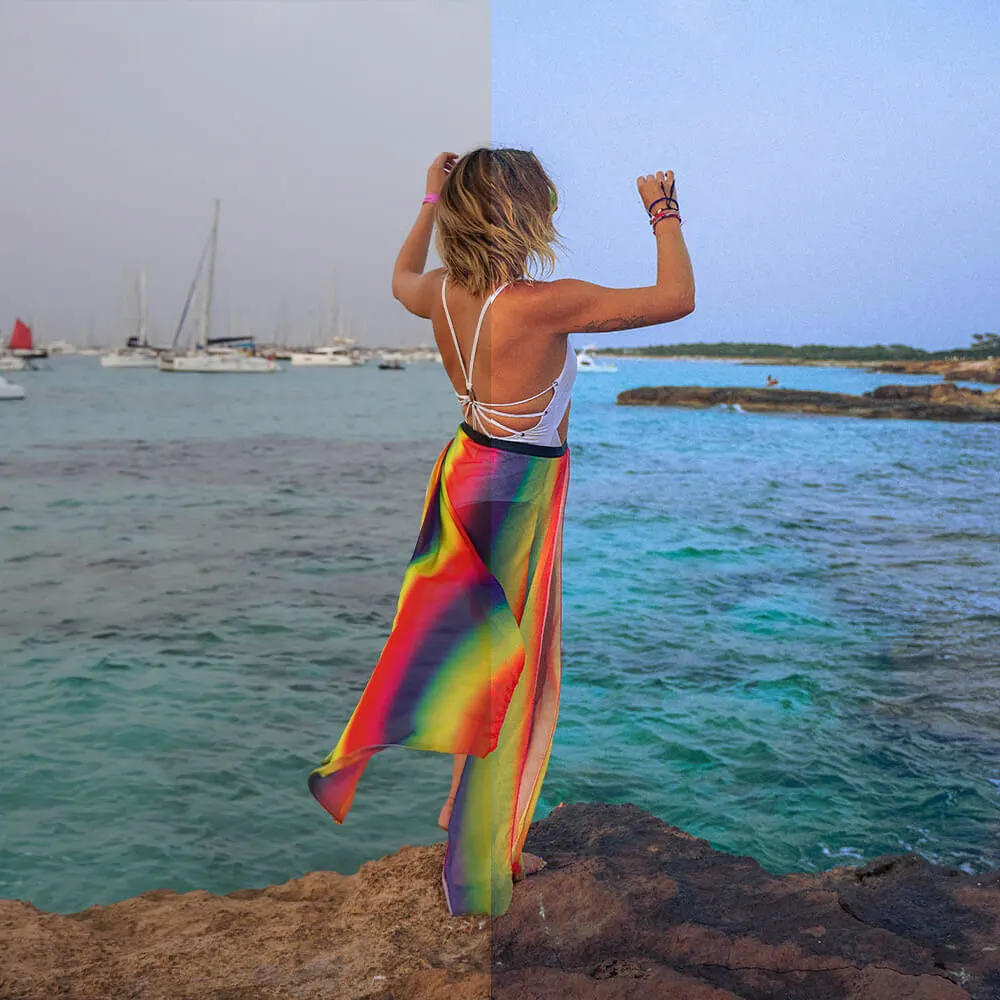
@kimmconn’s a&s travel presets – FULL BUNDLE!
$27
Get a discount if you purchase ALL my travel presets for desktop and mobile together. Get 16 desktop travel presets (which require Lightroom Classic or CC) and 16 mobile travel presets (which require the Lightroom app) all at the same time for one low price.

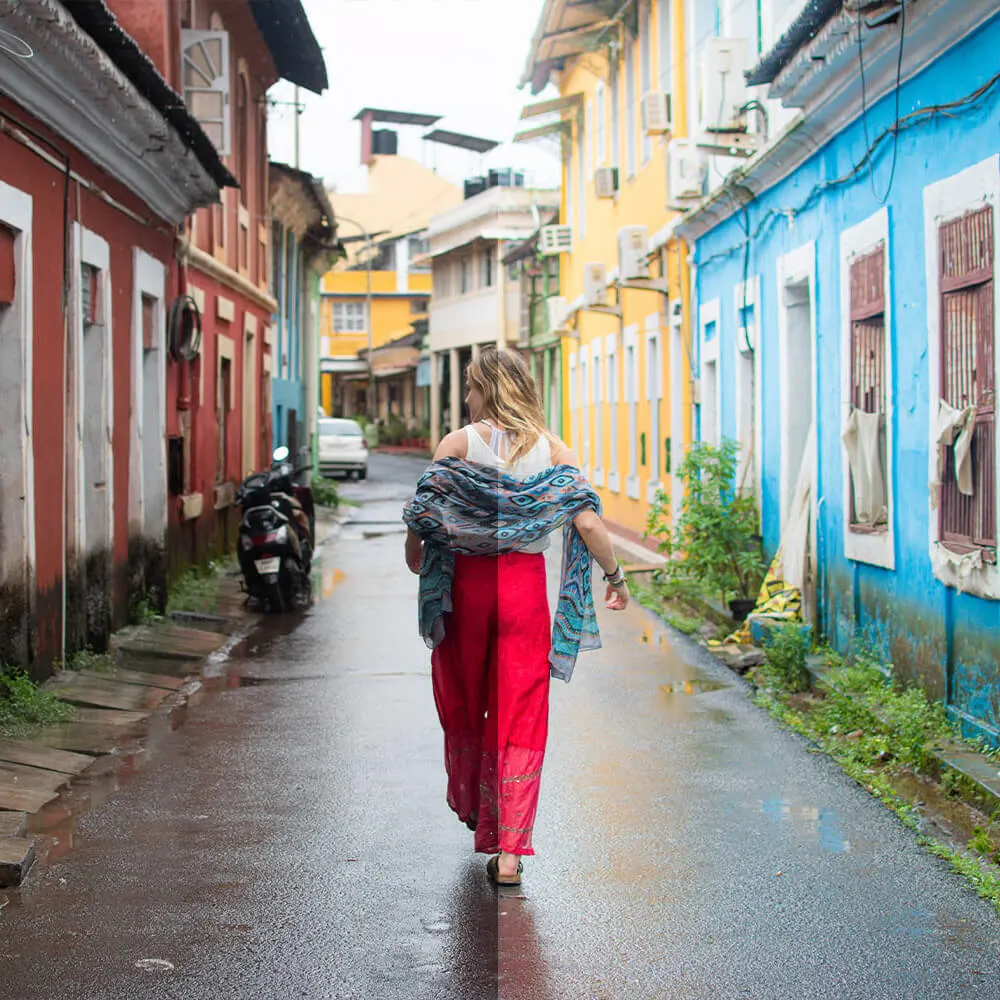
@kimmconn’s a&s travel presets – MOBILE ONLY!
$18
If you only need Lightroom presets for the Lightroom app on your phone, this is the preset pack for you! Inside are all 16 of my presets saved as photo .dng files so you can save them to your phone, open them in Lightroom, and download the preset to your app.
@kimmconn’s a&s travel presets – DESKTOP ONLY!
$18
If you only need Lightroom presets for the Lightroom desktop application (Lightroom Classic or Lightroom CC), this is the preset pack for you! Inside are all 16 of my presets saved as .xmp files that you can download and open straight into your computer’s Lightroom.
40 Lesson Lightroom Tips + Tricks Library Course
$58
Take my supplemental Lightroom Tips + Tricks Library Course which not only explains how to use Lightroom (editing with all tools from basic to advanced) but how to use each one of my presets, what they were created for, and what kind of photos they look best on.
About Adobe Lightroom
To use any of these presets or to take my course, you will, of course, need to have Adobe Lightroom installed on your computer or phone.
Adobe requires a subscription plan – either to Lightroom alone or to the Creative Cloud, which houses all sorts of other applications such as Photoshop and Illustrator.
If you do not yet have a subscription to Lightroom, you can start a free trial or purchase it from the Adobe website.
How to Download Your Presets Into Lightroom
Opening Mobile Presets
To access your mobile presets, you must download the folder of .dng files. Each file is a .dng image that you can save to your phone’s photo library.
Once you save an image to your photo library, open the image in the Lightroom app. The image already has the preset saved onto it. So when you open it in Lightroom, you can ‘create new preset’ and save it from there. Repeat for each file!
Opening Desktop Presets
After downloading the folder of desktop presets (.xmp files), open your lightroom and find your way to the ‘Develop’ tab.
On the left, you will see ‘presets’ on the sidebar. Click the plus (+) icon, select ‘import preset,’ then select the presets from your downloads folder (or wherever. you have saved them to).

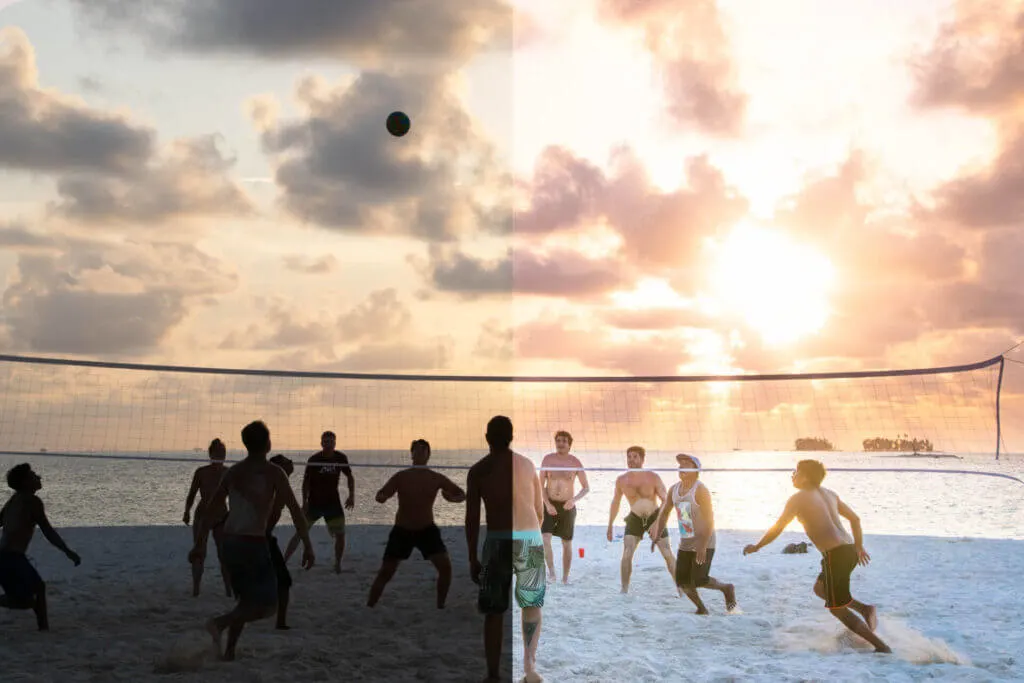
About @kimmconn’s Lightroom Tips + Tricks Library
This 40-module course goes into deep detail of ALL the facets of Lightroom that you will need to edit travel photos and more.
I begin Module 1 with an introduction to myself and my presets, and then begin at the basics in Module 2 – defining and explaining how to use temperature, tint, exposure, contrast, highlights, shadows, whites, blacks, texture, clarity, dehaze, vibrance, and saturation.
Module 3 goes more in-depth and explains how to use tones and the tone curve, HSL, selective color, and color grading, and detail and transform edits.
In Module 4 I offer an introduction to the spot removal tool, graduated filters, radial filters, and the adjustment brush.
By now you will be fully prepared for Module 5: Kimmie’s Epic Lightroom Tricks! This module has some fun and interesting lessons including my green/yellow color editing technique, using the radial filter to make your subject ‘pop,’ using inverted radials to apply edits to certain parts of photos, how to use texture/clarity and color grading to make forests look more magical, how to create the image of ‘golden hour/ even if it is not, using graduated filters to accentuate parts of your photo or create more contrast, 3 ways to make skin smoother on Lightroom, how to remove people from the background in Lightroom, making yourself look better using the adjustment brush, and my special ‘double radial’ technique.
Module 6 shows you each and every one of my 16 presets in action – I show you what kinds of photos they were created for and look best on, how I use them myself, and what aspects of each preset you should look out for when using them to edit.
After Blogging + Photographing Professionally for 6+ Years, My Presets and Course are Up for Grabs.
I recently realized that I spend more time on Lightroom than basically any other app out there, and that I regularly use my own presets to edit my photos for my blog and instagram. I’ve made all my presets myself over the years and they are designed to look good together with a cohesive color scheme.
My presets are designed for a range of different settings – from direct sunlight portraits to skin-smoothing in the shade, to film camera-style tones to underwater photos to sunsets to even nightlife photography! To get a full explanation of what each preset is best for, check out my course.
View All My Travel Presets in Action: Scroll Down for the Before + After for Each One!
“Cape Town” Preset: Before & After

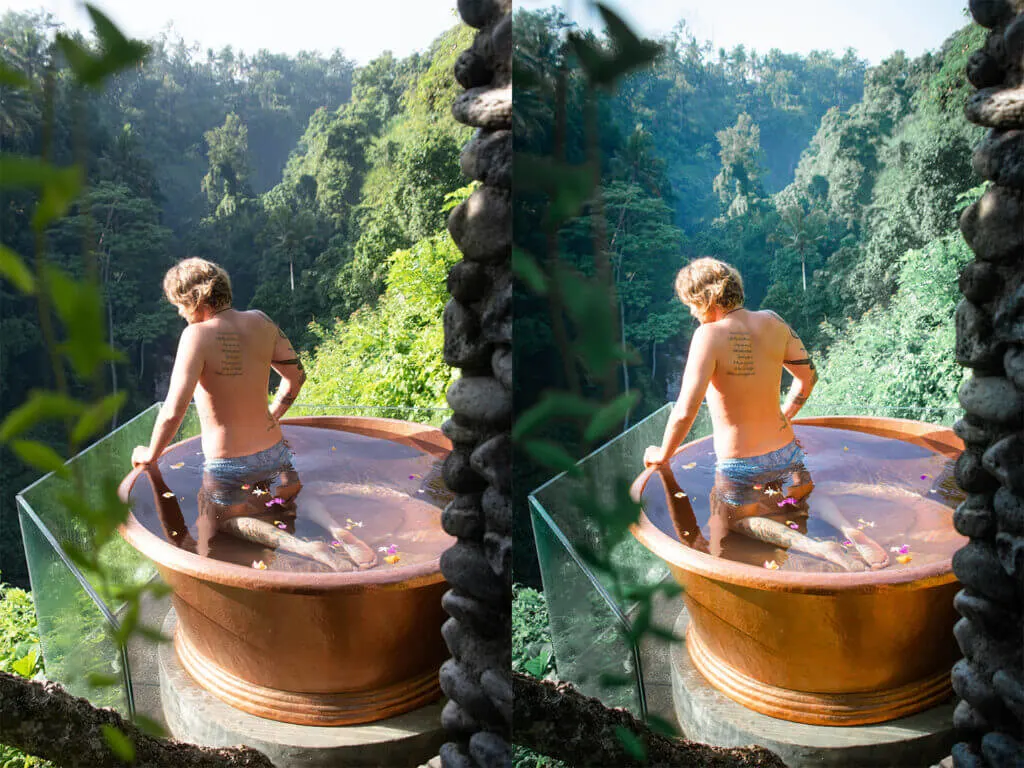
“Tulum” Preset: Before & After

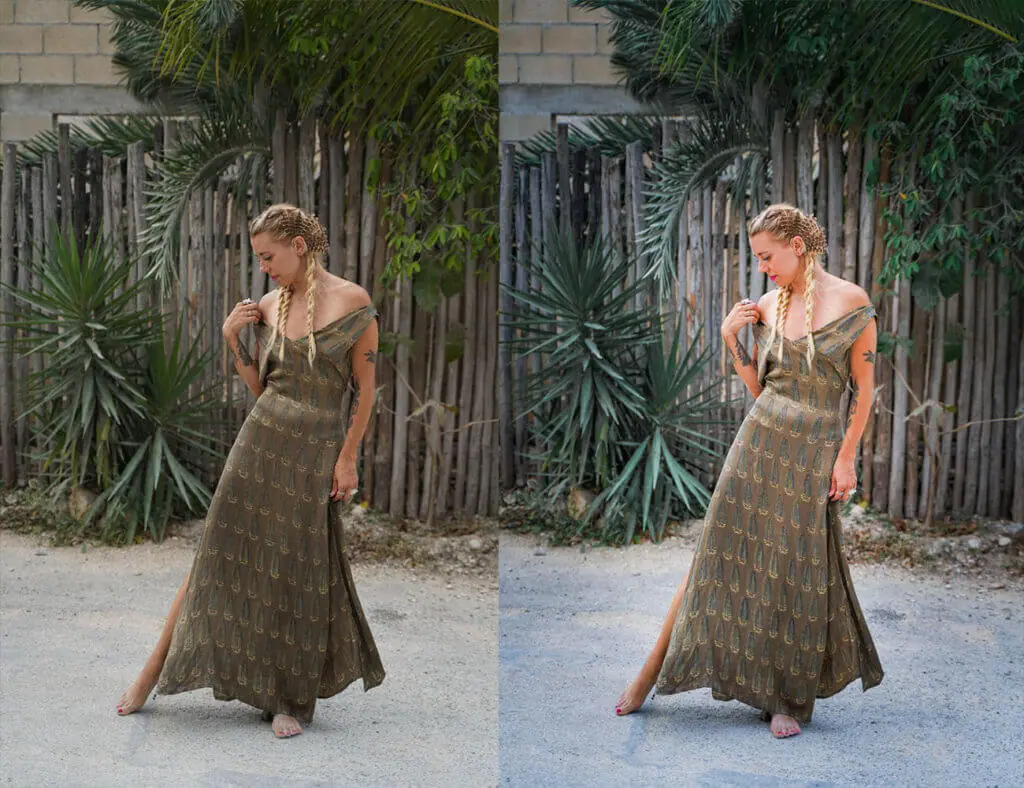
“Palm Springs” Preset: Before & After

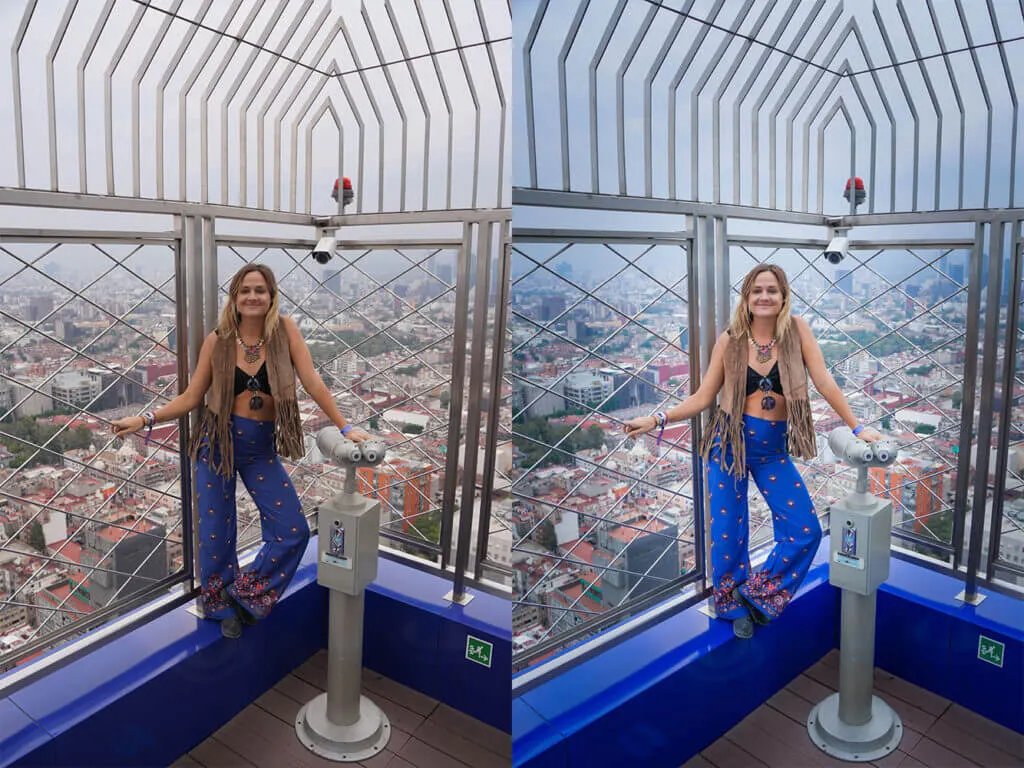
“Bali” Preset: Before & After

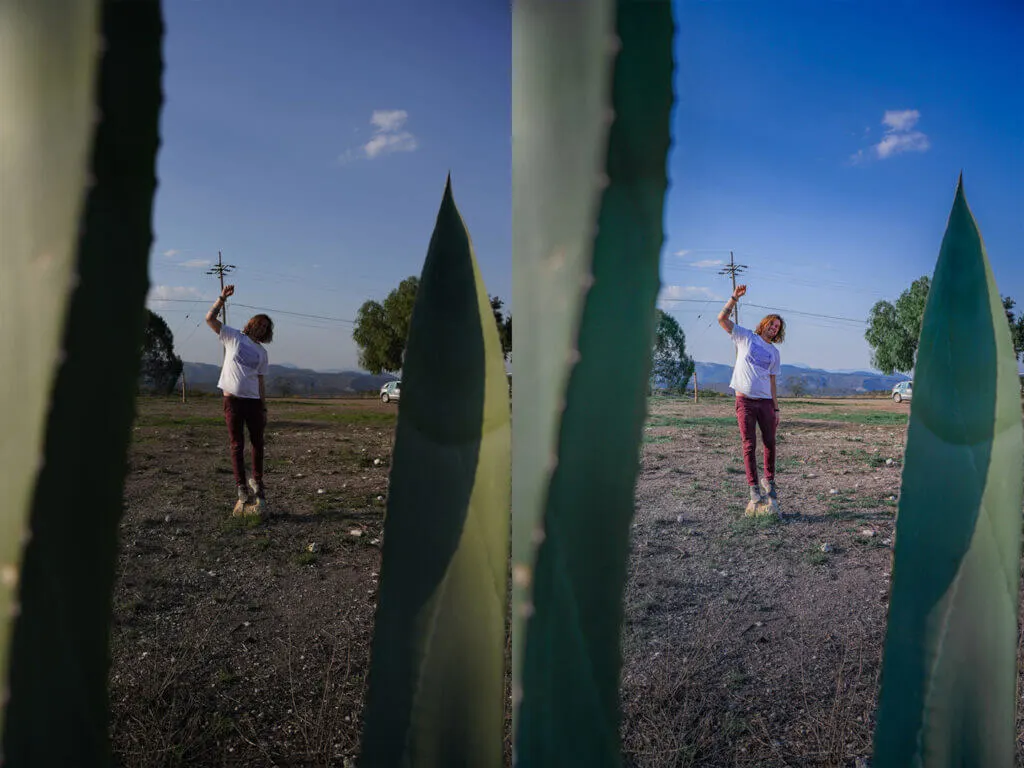
“Barcelona” Preset: Before & After

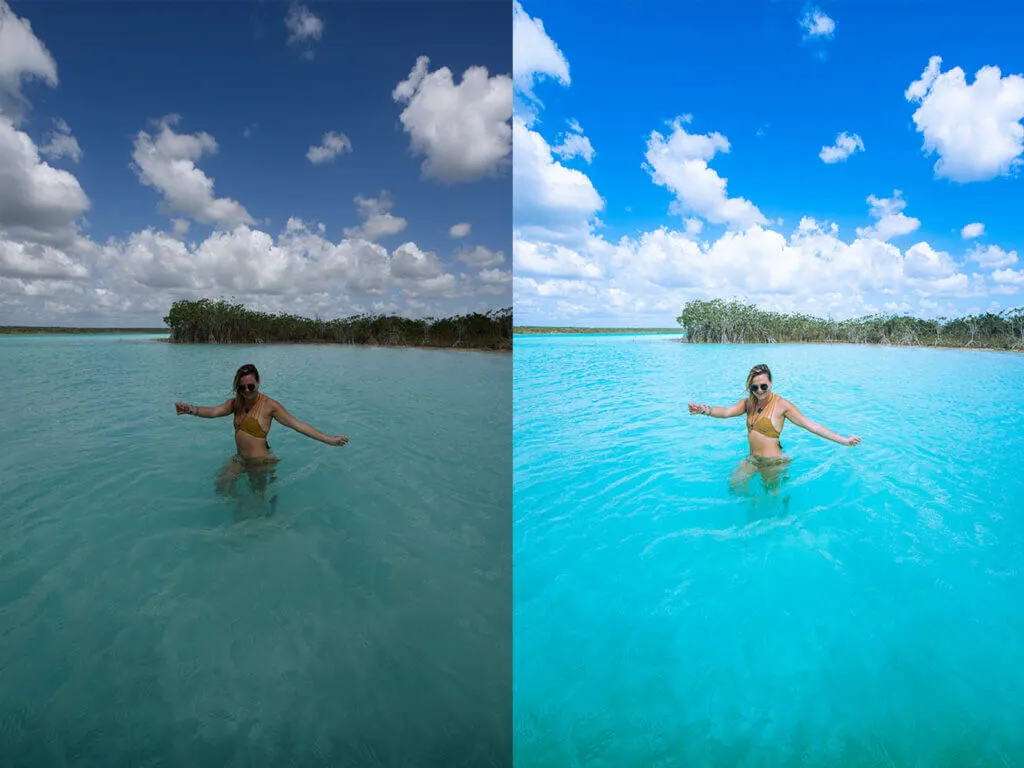
“Melbourne” Preset: Before & After

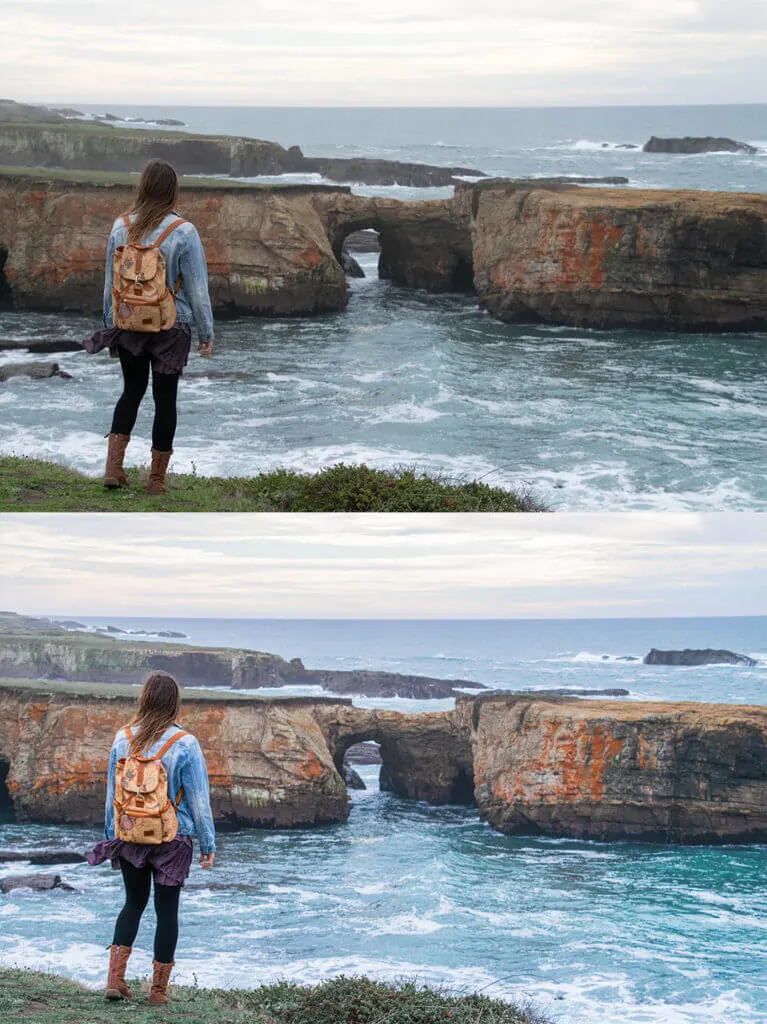
“Dubrovnik” Preset: Before & After

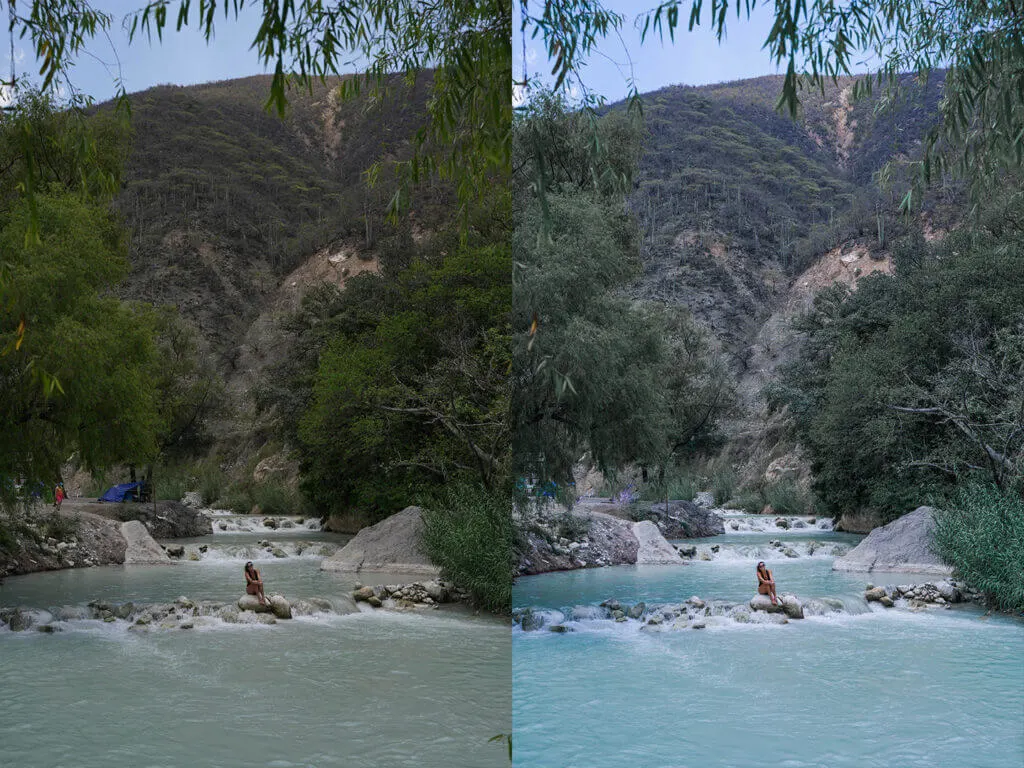
“Santorini” Preset: Before & After

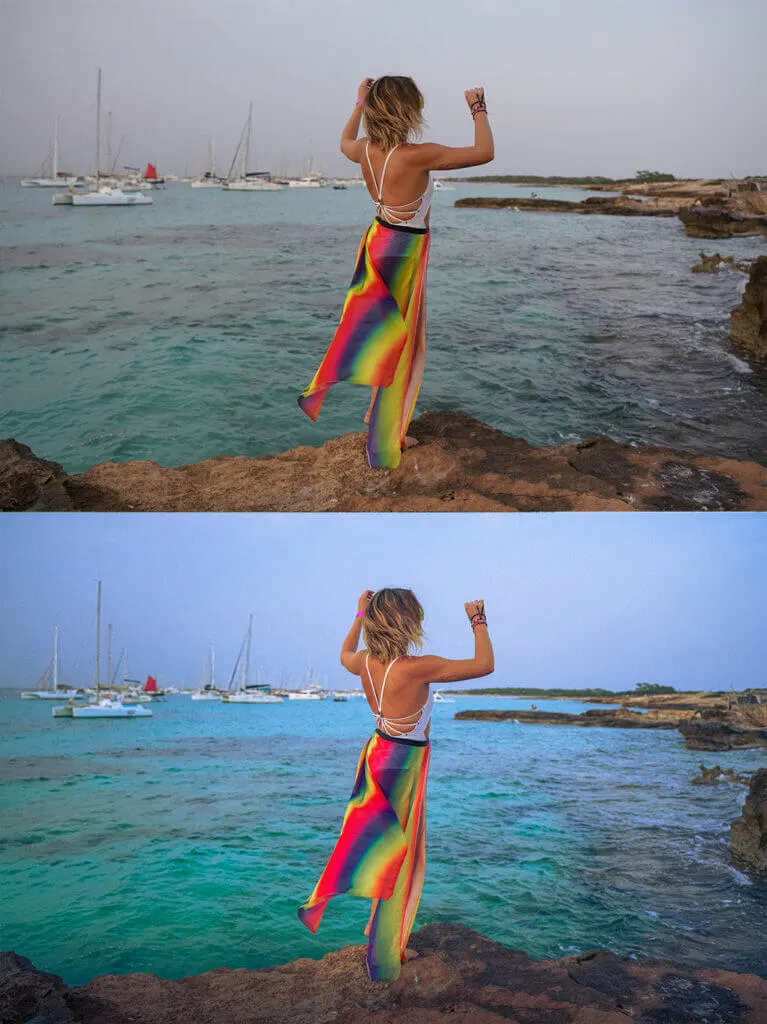
“Tokyo” Preset: Before & After

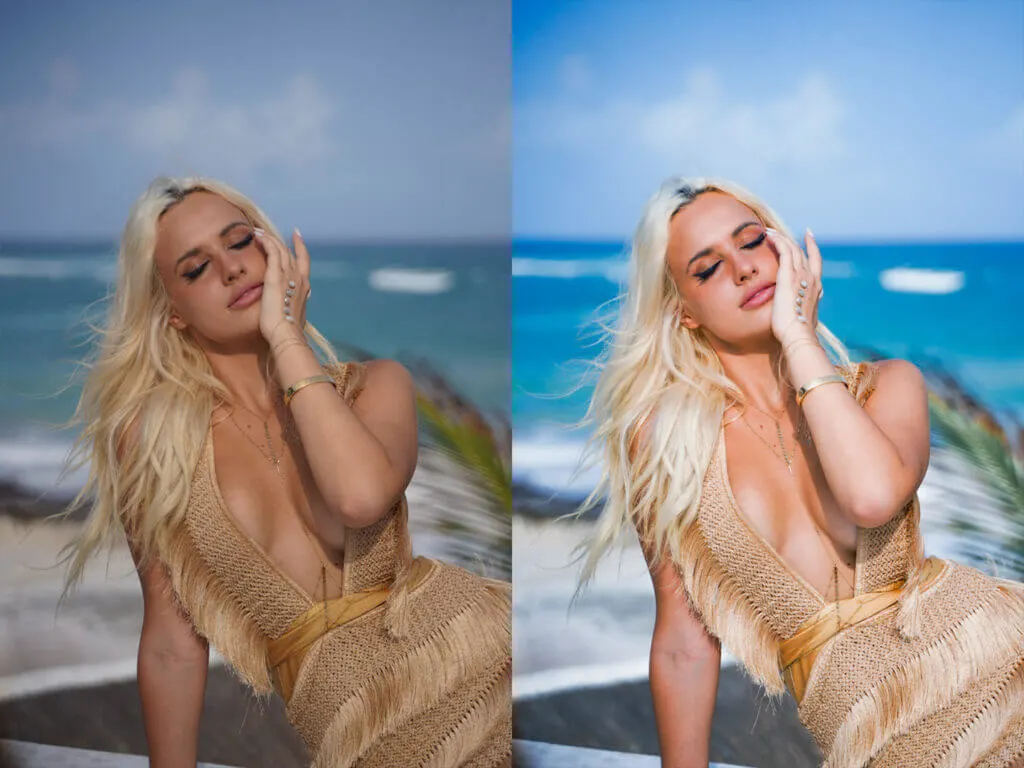
“Bariloche” Preset: Before & After

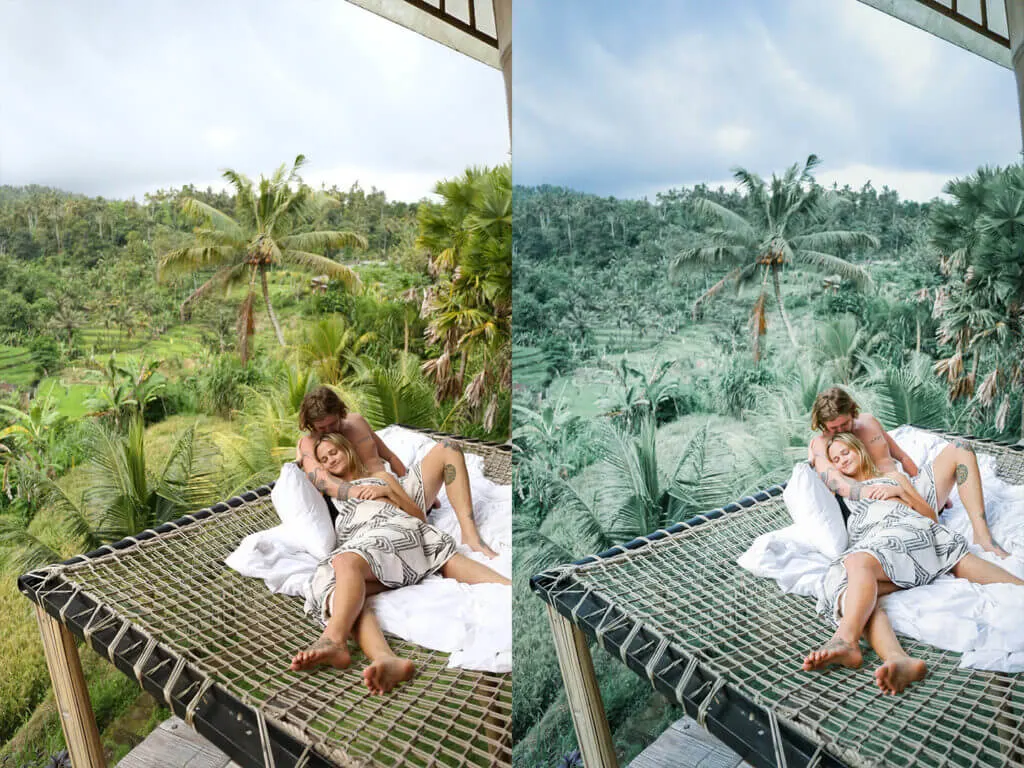
“Hong Kong” Preset: Before & After

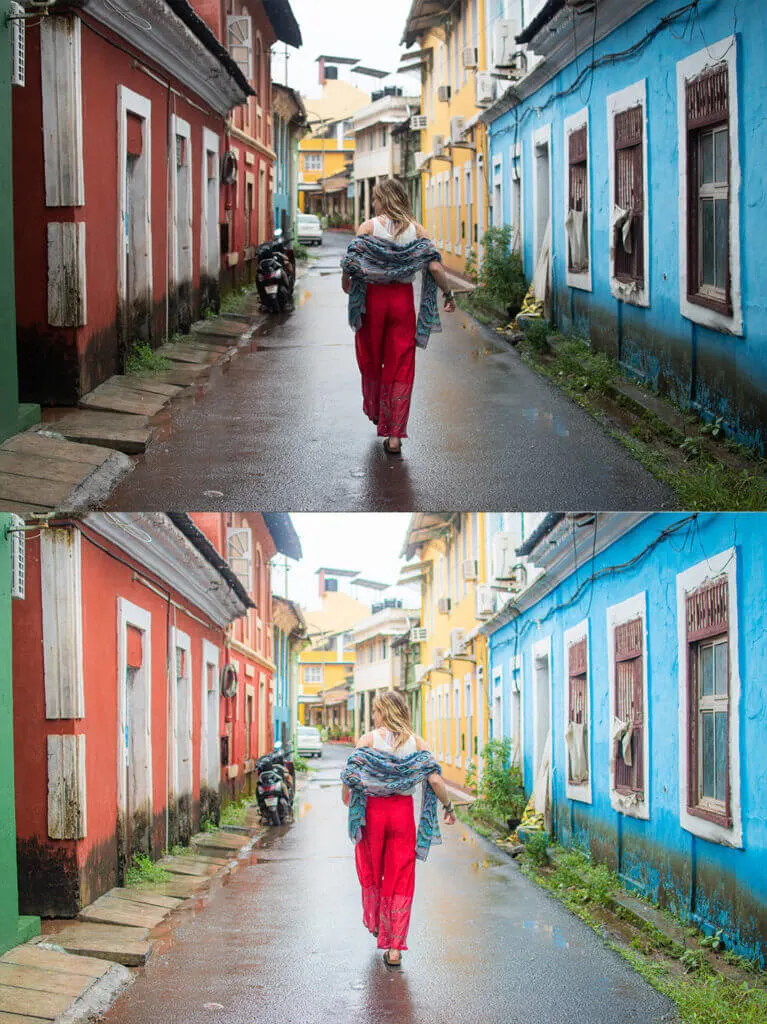
“Hong Kong” Preset: Before & After
“Uyuni” Preset: Before & After

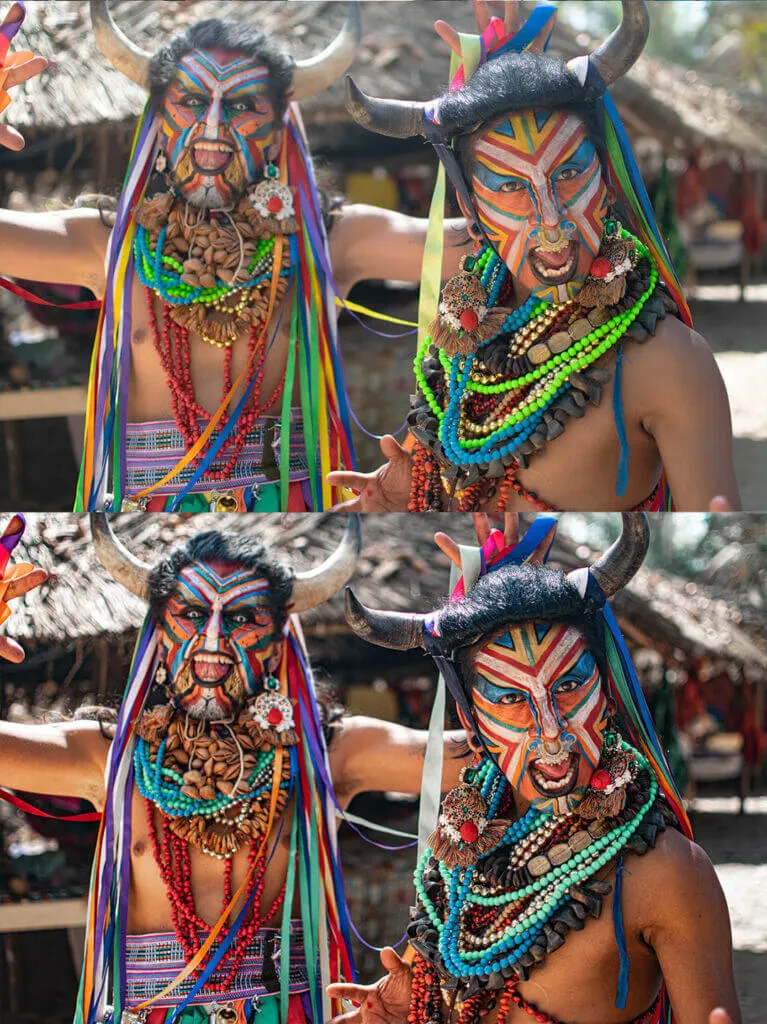
“Aruba” Preset: Before & After

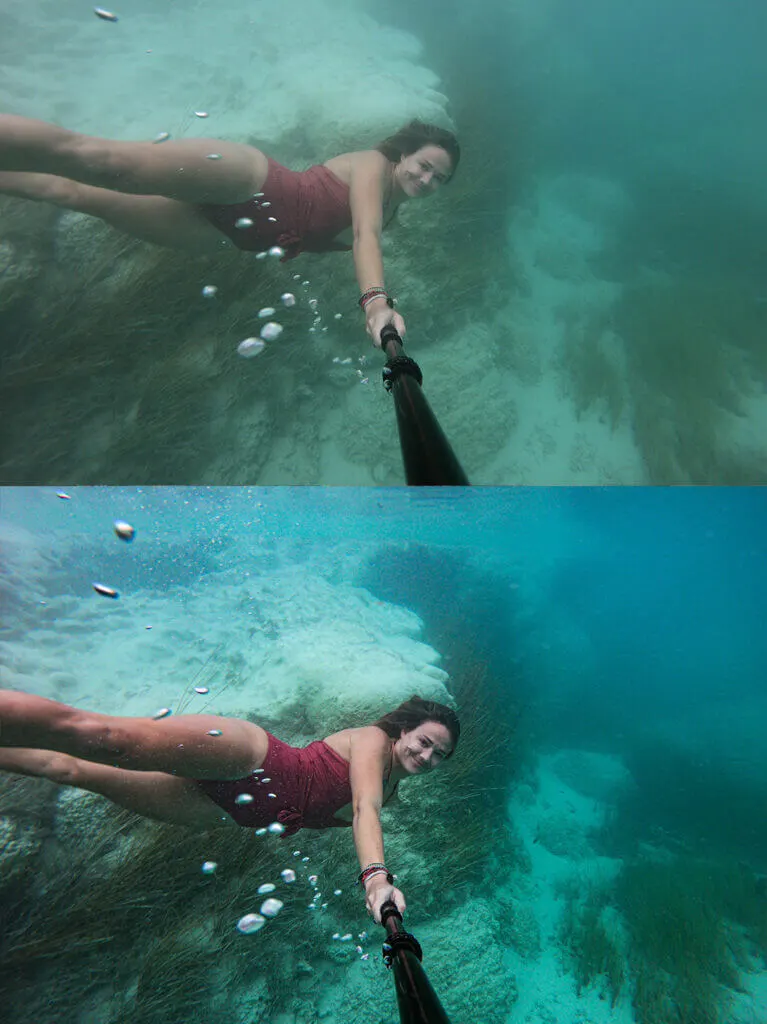
“Laguna Beach” Preset: Before & After

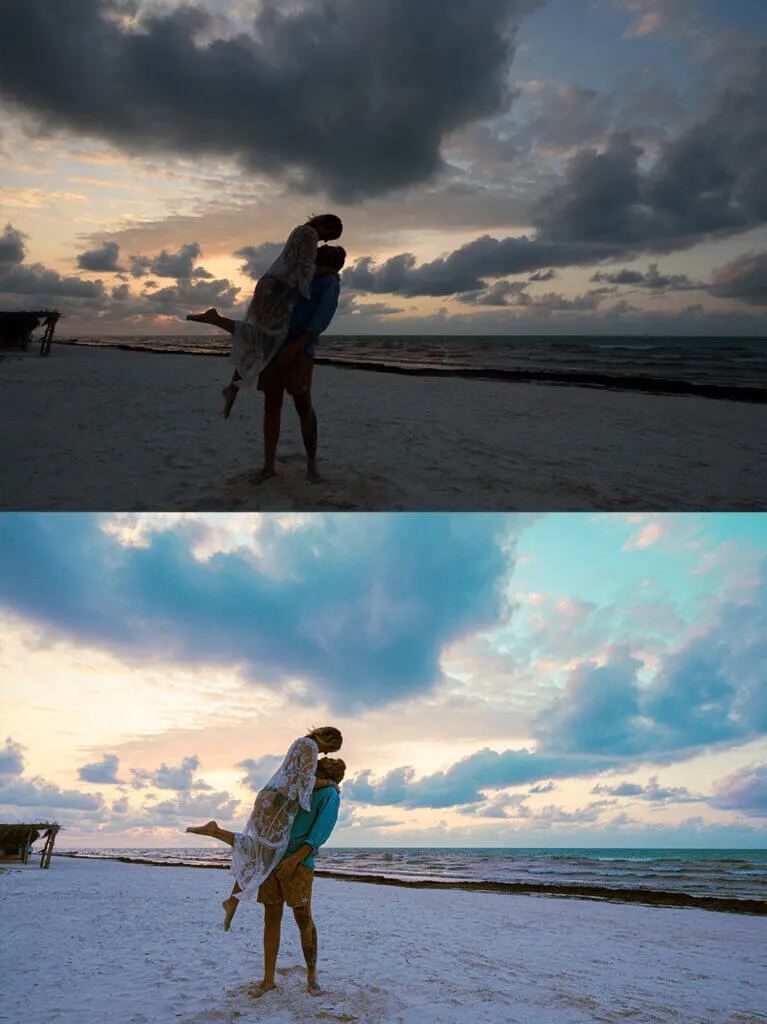
“Berlin” Preset: Before & After

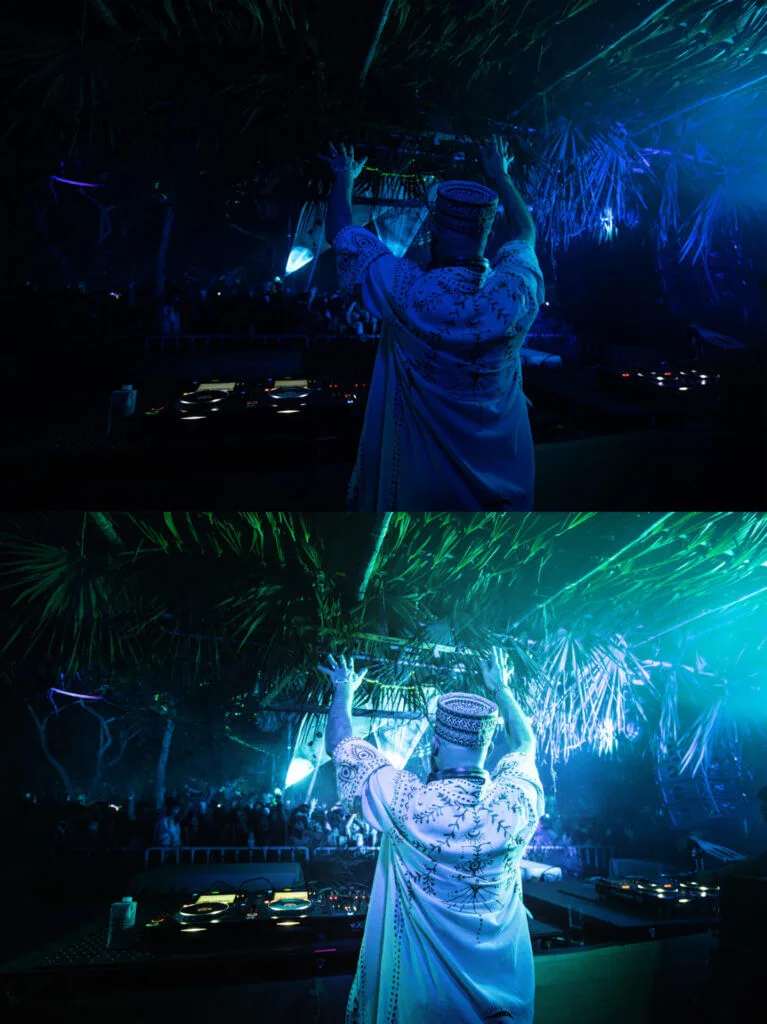
“Goa” Preset: Before & After

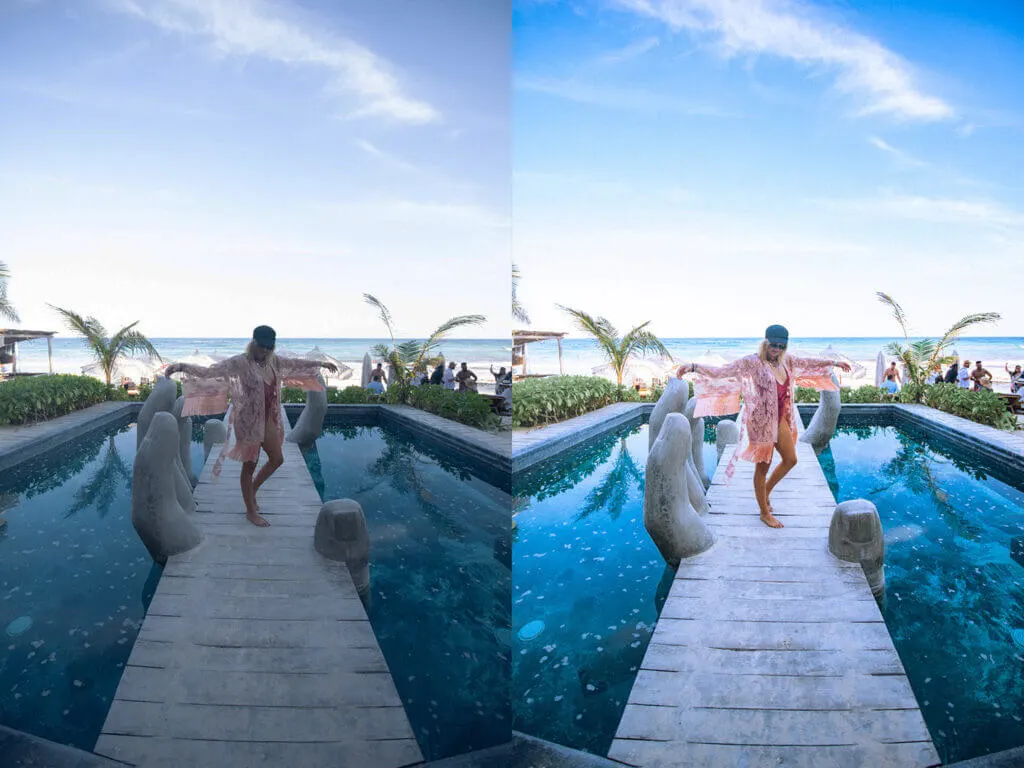
My Products
@kimmconn’s a&s travel presets – FULL BUNDLE!
$27
Get a discount if you purchase ALL my travel presets for desktop and mobile together. Get 16 desktop travel presets (which require Lightroom Classic or CC) and 16 mobile travel presets (which require the Lightroom app) all at the same time for one low price.
@kimmconn’s a&s travel presets – MOBILE ONLY!
$18
If you only need Lightroom presets for the Lightroom app on your phone, this is the preset pack for you! Inside are all 16 of my presets saved as photo .dng files so you can save them to your phone, open them in Lightroom, and download the preset to your app.
@kimmconn’s a&s travel presets – DESKTOP ONLY!
$18
If you only need Lightroom presets for the Lightroom desktop application (Lightroom Classic or Lightroom CC), this is the preset pack for you! Inside are all 16 of my presets saved as .xmp files that you can download and open straight into your computer’s Lightroom.
40 Lesson Lightroom Tips + Tricks Library Course
$58
Take my supplemental Lightroom Tips + Tricks Library Course which not only explains how to use Lightroom (editing with all tools from basic to advanced) but how to use each one of my presets, what they were created for, and what kind of photos they look best on.