
After being on the road for over 10 years, I have accumulated dozens of travel apps and tools. I have tried maybe hundreds of them, deleted most, and narrowed it down to the ones I use most and keep on my phone/computer.
What I want to share are the apps and tools that have quietly become non-negotiable parts of how I travel… The ones I open often and really appreciate. Some of them are obvious, and I’ll explain why I chose the specific version I use over the alternatives. Some are less obvious, and I’ll explain how I stumbled onto them.
None of them are here because someone asked me to include them – this is my own list of apps I personally use while on every trip, while traveling, or even in my daily life between trips, and life would be worse off without them. I’ve been doing this long enough that my toolkit has gone through several rounds of being stripped back. The apps that survived are the ones that earned their place.


Google Maps (Offline Maps + Lists)
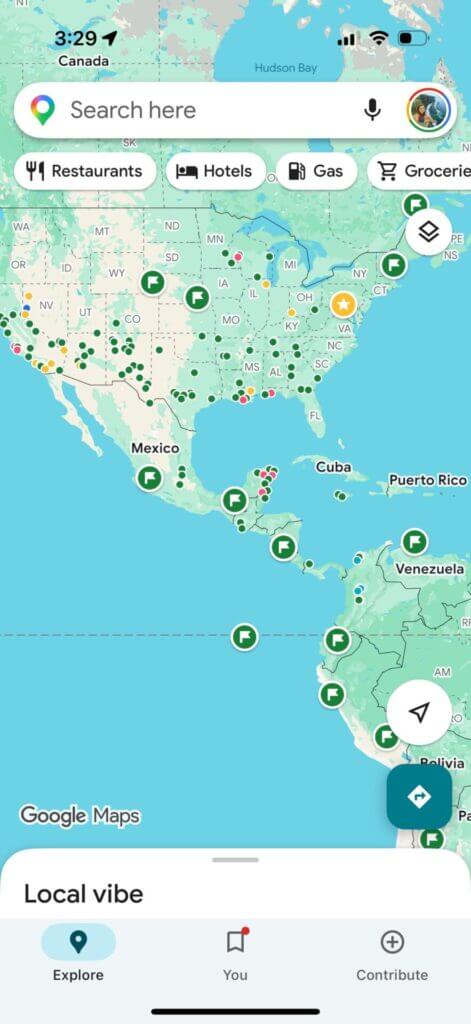
You already have Google Maps – I know. But do you actually use the offline download feature before every trip? Because most people don’t, and I did not for an embarrassingly long time.
Downloading a region before you arrive means the map fully works without data – including navigation, which is huge. I download wherever I’m going before I leave the airport, sometimes even before I leave home, so even if there are random data struggles, I’m at least covered until I figure out my roaming or eSIM.
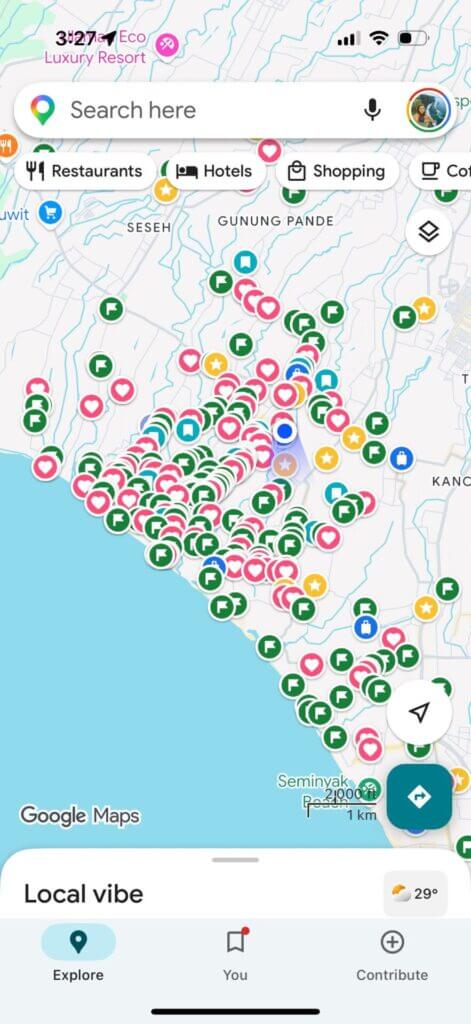
I also use Google Maps to save my entire global travel bucket list with its ‘save’ feature for places. For years, I saved in the categories that Google Maps comes with – want to go, favorites, starred, and travel plans – but I realized recently that you can actually make your own lists with an emoji symbol of your choice. Now, I save things to many categories with emojis connected to brunch, dinner, coffee, activities, hotels, beaches, cocktails, viewpoints,
Revolut for Money
This one genuinely changed how I think about spending money abroad. Revolut is a multi-currency account that lets you hold money in different currencies, convert between them in the app, withdraw cash internationally with low or no fees up to your plan limits, and spend abroad with far better exchange rates than most traditional banks.
The difference adds up over a long trip. I ran the numbers once over a three-month period, and the savings compared to what my old bank had been charging were enough to cover several nights of accommodation. The card works almost everywhere Visa and Mastercard are accepted, the app shows you exactly what you spent and in which currency, and it makes splitting costs or sending money internationally a lot simpler when you’re constantly moving around.
Many people also use Wise (Transferwise), but I don’t recommend it anymore to frequent travelers as they randomly close accounts after asking for more personal info than the IRS – it happened to quite a lot of traveler friends, and me.
Notion for Trip Planning
I resisted Notion for a long time because I assumed it was more complicated than it needed to be. I was wrong, and I wish someone had pushed me harder to try it earlier.
I now have a travel template that I copy for every trip. It has sections for the itinerary, accommodation details, important addresses, emergency contacts, budget tracking, and a packing checklist I’ve refined over years of forgetting specific things (you can see some of my most important packing items here). It also works offline once it’s synced. And unlike a notes app or a spreadsheet, it’s actually pleasant to look at and easy to navigate when you’re tired and trying to find the name of your guesthouse at midnight.
The real value is not any single feature. It’s having one place where everything for a trip lives, so you’re never digging through five different apps trying to remember which one has the booking confirmation.
A Password Manager
I added this one later than I should have, after a trip where I locked myself out of my email account because I couldn’t remember which variation of my usual password I’d used, and the recovery process from a foreign country took the better part of an afternoon.
The problem when you travel is that you’re logging into things constantly from devices and networks you don’t fully control, and in different places too. New SIM cards, hostel Wi-Fi, borrowed laptops when yours is charging. And you’re accessing accounts that actually matter: banking, accommodation bookings, airline loyalty programs, travel insurance portals. Using the same recycled password for all of them because it’s easier to remember is the kind of habit that works fine until it very suddenly doesn’t… and it;s not a good idea to.
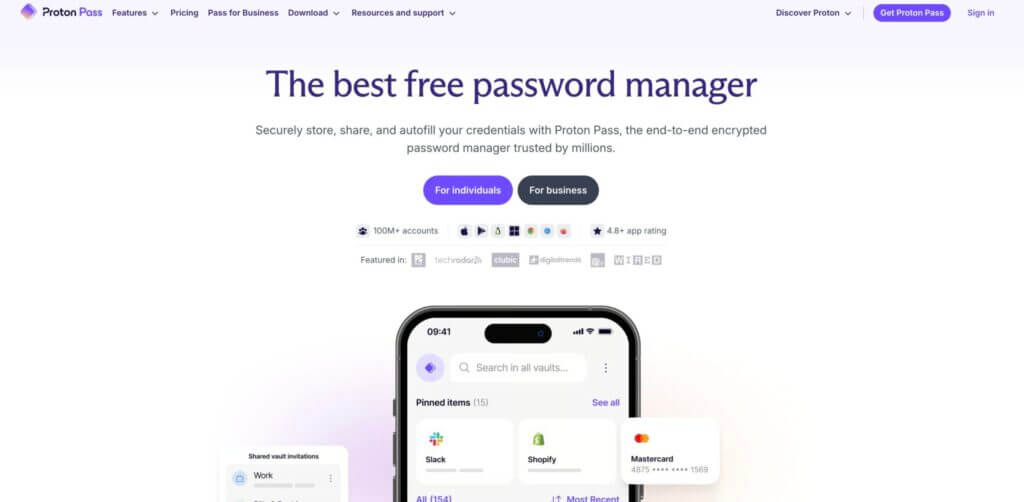
I switched to using a dedicated password manager, and the mental load reduction was immediate. Every account has its own generated password. I remember one master password. The app fills everything else in automatically and syncs across all my devices. If I get a new phone mid-trip, which has happened, I’m not scrambling to remember what I used for what. It’s all there. The version I use also flags if any of my stored credentials appear in a known data breach, which has caught one thing in the time I’ve been using it. That alone justified the switch.
I know this sounds like a mundane addition to a travel toolkit, and it is. But so is having travel insurance, and nobody argues against that.
A Currency Converter App
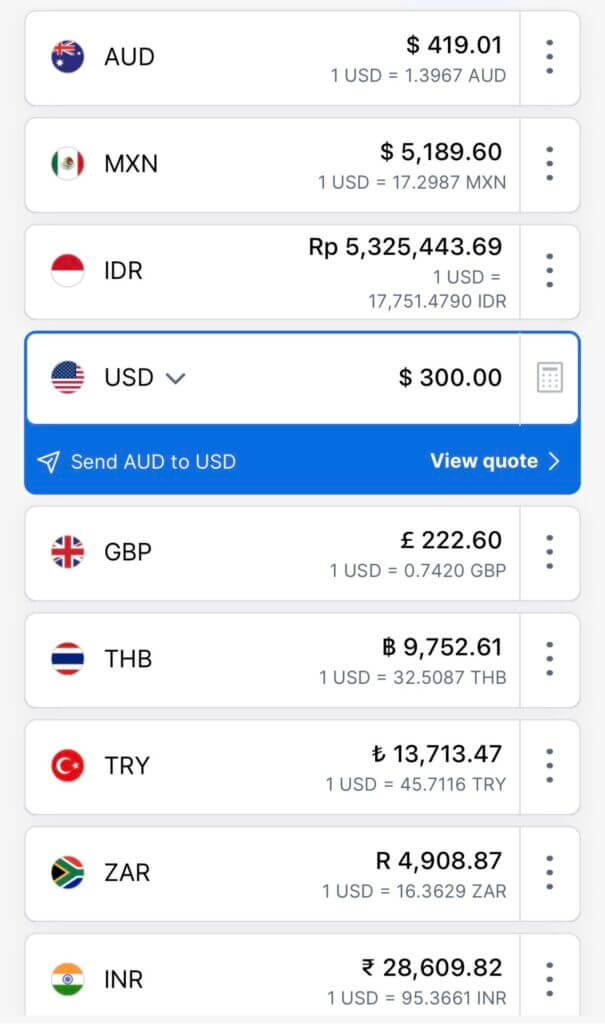
Although it is possible to be good at math and convert currencies in your head, it’s always easier to have a currency converting app like XE. Here, you can add up to ten or more currencies. When you put an amount in one currency, you can immediately see how much it is in all the other currencies you have added.
It’s really interesting to see an amount converted into all the currencies you have saved in countries you have recently traveled through… this puts each purchase into even better perspective! And of course its so convenient to quickly convert from your home currency to the country you are in and back.

WhatsApp and Signal/Telegram
WhatsApp is the default communication tool for most of the world outside North America and it’s the one app I’ve never been able to travel without. Guesthouses message you on it. Tour operators confirm bookings on it. The group chat from the hostel in Medellin where everyone shared restaurant recommendations was on it. Trying to communicate in many countries without WhatsApp is genuinely difficult.
Signal and Telegram, I use for anything sensitive: financial conversations, anything involving account details, communications with family that I’d rather keep private. The encryption is end-to-end and the app doesn’t collect your data. I’m not paranoid about this stuff, but I’m also on public Wi-Fi a lot, and the marginal effort of using Signal for things that matter is low enough that it feels stupid not to.
A Sleep App
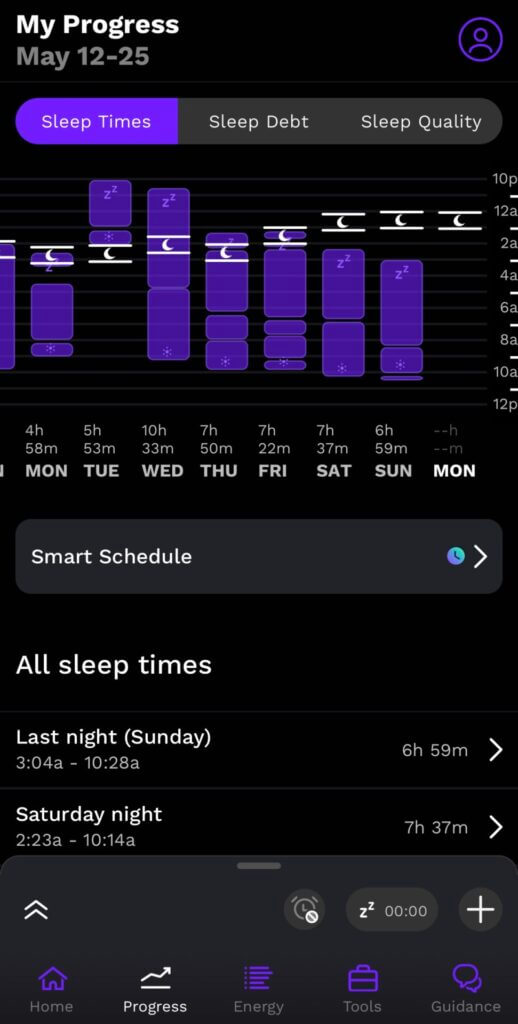
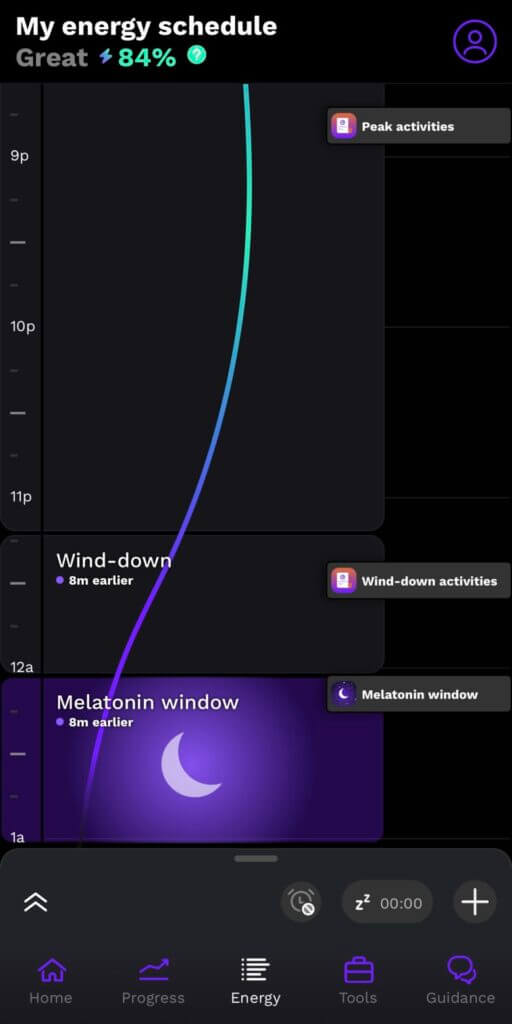
I didn’t really think I needed to track my sleep until I tried it and became addicted… not only addicted to tracking it but also knowing and understanding my energy levels, peaks, and best windows to fall asleep (or how quickly I can adjust to let lag). Some people use Apple Watches for this, or Aura/health rings, but I have used the Rise Science app for over a year now, and I love it!
Rise tracks your sleep by measuring the movement on your mattress, and also has helpful things like energy score, telling you your day’s energy peaks and valleys, daily melatonin window (the best time to fall asleep), tracks your sleep debt, and also has tons of tools to improve energy levels and sleep. I have found that I really do sleep better when I go to sleep during my melatonin window, and it’s nie to know when I have sleep debt too.
Data: Skyroam, a Local SIM, or an eSIM
Connectivity is the one thing I don’t compromise on. Without it, almost every other app on this list stops working, and more practically, the ability to pull up a map, translate something, or contact accommodation in real time is the difference between a manageable situation and a stressful one.
My approach has changed over the years. For shorter trips to single countries, a local SIM bought on arrival (or even local eSIM installed at the airport) is often cheaper and faster than any global solution. For longer trips crossing multiple borders quickly, I’ve used a few different eSIM companies depending on the length of the trip and the countries, and similar global hotspot devices. You will want to research the best eSIM for your whole trip and countries you go to, for example eSIM for Asia, eSIM for UK, eSIM for global, etc.
The honest answer is that there’s no universal solution, and the right choice depends on your trip. But it’s always best to do research on what eSIM is best for a country or region before you leave.
A VPN
If you are moving around a lot and want to protect your data and also not confuse any of your banks or apps by popping up in different countries all the time, use a VPN to connect to an IP in your home country every time you go online. VPN’s also allow you to remain anonymous and keep your data private, which is safer on public wifi’s. If you’re looking to get started, you can easily see how to install ExpressVPN on your device and set up a secure connection in just a few minutes.
Skyscanner
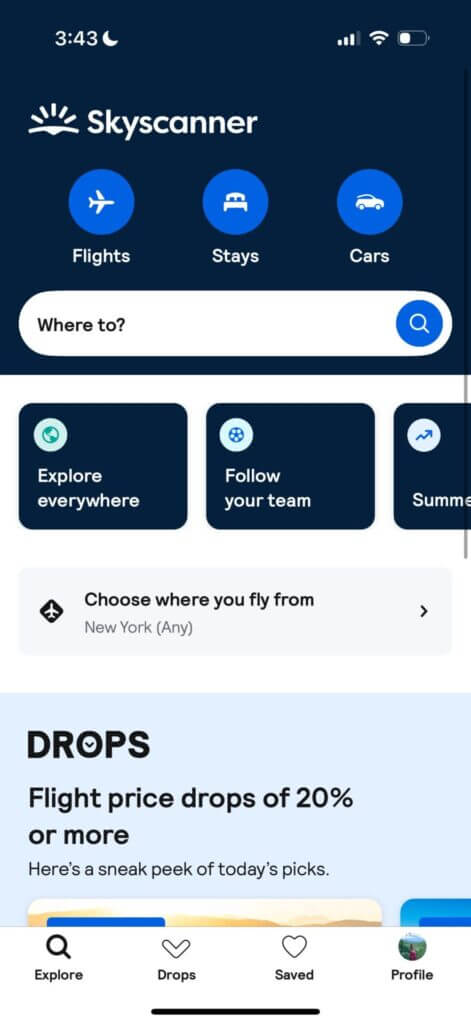
I have used Skyscanner for over 10 years as my top flight-booking engine, and it has always been one of the best tools I use for traveling. If you haven’t tried it before, Skyscanner basically searches all options for your flight route and organizes them for you based on price, duration, or the best option(s) and sends you to different booking agents that may have better prices (but you must make sure to read the reviews of each).
They also have some amazing options for finding the cheapest flights from your airport, or the most interesting options by searching ‘everywhere’ from your current destination. It definitely fuels the wanderlust!
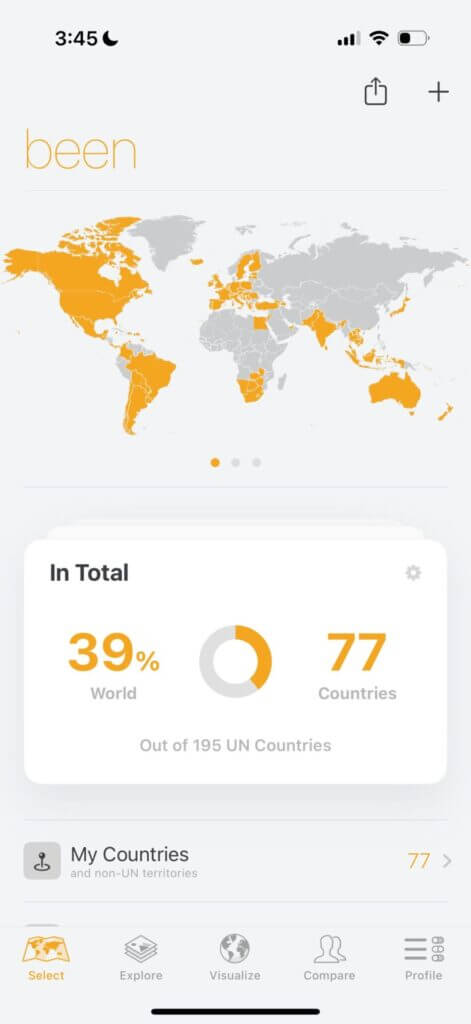
Been
Okay I will be the first to say that I hate country counting, so I debated including this one or not. I believe that country counting ‘for sport’ discourages people from making the most of any destination in favor of touching down in as many places as possible for a short time to bolster numbers, but as long as I’m not doing that, I do like to keep track of where I’ve been… and to do this, I use the app “been.”
It can catalog for you your US states, countries, territories, and much more on a pretty map you can look at and be proud of your accomplishments. You can also add dates under the categories of ‘been, lived, or wish’ as a bit of a travelogue too.
Splitwise
I cannot stress enough how purely brilliant this app is for trips with friends or even a partner. Splitwise allows you to easily split costs fairly with any size of group. On the app, you can put in any group expenses and who they are being shared with, and it will split the costs evenly throughout your group and tell you who owes whom what at the end.
They even have a paid version where you can enter amounts in different currencies, and it will convert them for you! I swear Splitwise has saved so many headaches, fights, and frustrations all over the world by taking the stress out of splitting costs.
Language Apps: Translate, Duolingo
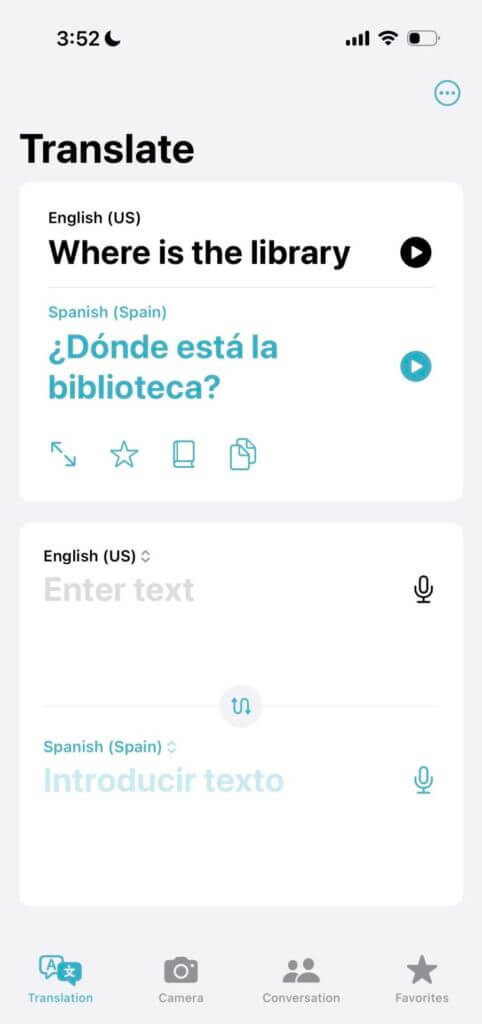
This is a no-brainer! Make sure to have some kind of mobile data, and you can use the Google Translate/Translate App to communicate with anyone, anywhere. You can type things into it to show someone in their language, or even these days, you can speak into it and have people speak into it in their language as well to translate it to English for you. It’s totally a must. You can also use devices like this to have full conversations with people through a translator.
Beyond just translation, it’s always good to learn some basic phrases in any language before visiting a country. Nothing is better for that than a language learning app like Duolingo. You don’t have to commit to anything crazy, but spending a few minutes each day familiarizing yourself with basic phrases is always good.


Hotel Booking Apps
I won’t favor one hotel booking app over another because I tend to use different ones in different places and depending on what I need. For example, Expedia in the US, Booking.com for hotels in most places, Agoda in Asia, Hotels.com randomly, Hostelworld for hostels, and Airbnb and VRBO for vacation rentals and apartments. No matter which one you choose, it’s vital to use these OTA’s as a tool while traveling and probably have at least one – your favorite one – as an app on your phone.
A Tour Booking App like Viator or Get Your Guide
To be TOTALLY honest, I usually book tours on the computer while doing my more official planning in Notion. But they are still a vital tool for travel! I usually use Viator myself, but in some places like Europe I prefer to book tours and adventures on Get Your Guide. Whenever possible, I also like to book with local operators off-book so they make a higher revenue than on these apps.
For Full Time Travelers: Work Exchange Tools
If you are traveling longer term or even full time, and especially if you’re on a budget, tools that allow you to exchange work for travel are AWESOME. The best that I recommend are Trusted Housesitters, which allows you to stay for free in someone’s home while caring for their pets, and Global Work & Travel, which lists hundreds of different work opportunities that give free room and board for a certain number of hours/type of work. Not only are these amazing ways to stay on the road longer, but ways to have a totally new and unique, hands-on travel experiences.
I hope this list of the best travel apps and tools has given you some insight! Let me know in the comments which of your favotite tools I should add to this list.

Passionate, full-time travel blogger with over 230k on social media and 150kMPV blog. Extraordinary photographer with two DSLR's + a drone with a love for capturing candid moments, epic drone shots, and magical compositions. I'm a natural-born content creator originally from California, but I've been on the road for 9 years living, working, traveling, blogging, and photographing my way around the world. I recommend the most amazingly adventurous and unique + boutique travel experiences/stays and helpful products to my audience and write comprehensive guides on my website that have helped millions of travelers so far. I love to inspire people to plan their dream trips, and many readers have given feedback as such. The reach on my platforms continues to soar, especially when combining cutting-edge social content with optimized articles on my high-authority website.